

Bluetooth Connection Problems – Reset Pairing and Device Settings
Mystery Business News PR >> Tech Guides>> Bluetooth Connection Problems – Reset Pairing and Device Settings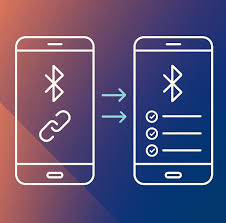
Bluetooth Connection Problems – Reset Pairing and Device Settings
Bluetooth problems in a car often come from old pairing records, phone permissions, or settings that no longer match after a software update. Before assuming the stereo or phone has failed, remove the saved connection on both devices and create a fresh pairing. That simple reset fixes many connection loops, missing contacts, and audio problems.
Start With a Clean Bluetooth Pairing
Delete the vehicle from your phone’s Bluetooth list, then remove the phone from the vehicle’s saved-device menu. Restart the phone and switch the vehicle off long enough for the infotainment unit to shut down fully.
Pair the devices again as though they have never connected before. If your car stores several old phones, remove unused entries because some systems become unreliable when the device list is crowded.
Drivers comparing general repair approaches may also come across automotive service information while researching broader vehicle problems. For Bluetooth troubleshooting, however, changing one setting at a time makes it easier to identify the actual cause.
Check Permissions and Connection Priorities
A phone may connect for calls but refuse to stream music because different Bluetooth permissions control those functions. Open the device settings and make sure calls, media audio, contacts, and message access are enabled where needed.
Some cars automatically connect to the most recently used phone. If two paired phones enter the vehicle together, the system may choose the wrong device or switch connections unexpectedly.
| Problem | Likely Area to Check | Useful First Step |
|---|---|---|
| Calls work, music doesn’t | Media permission | Enable audio access |
| Phone isn’t discovered | Pairing mode | Restart discovery |
| Connection keeps switching | Multiple saved phones | Remove old devices |
| Contacts won’t appear | Contact permission | Allow contact sharing |
Rule Out Phone and Software Problems
Test another phone before blaming the vehicle. If a second device connects normally, the original phone’s software, permissions, or Bluetooth settings deserve closer attention.
Software changes can also affect compatibility. People researching newer vehicle electronics sometimes browse vehicle technology resources alongside manufacturer guidance, but the best troubleshooting test is still simple: compare behavior with a second known-working device.
Updating the phone’s operating system may help, although a new update can occasionally introduce a temporary compatibility problem. Reboot both devices after updates instead of assuming the settings refreshed automatically.
Look at the Vehicle Side of the Connection
If every phone experiences the same failure, attention shifts toward the infotainment system. Check whether the vehicle has a reset option that restores connectivity settings without erasing unrelated preferences.
Electrical interruptions can also create strange infotainment behavior. Battery replacement, low voltage, or recent electrical work may cause saved settings to disappear or modules to restart unpredictably. Broader automotive wiring references may be useful when the problem appears alongside other electrical symptoms.
Avoid disconnecting wiring behind the dashboard unless you know the correct procedure. Modern infotainment equipment may share circuits or data networks with cameras, steering-wheel controls, and other modules.
Common Bluetooth Troubleshooting Mistakes
Repeatedly pressing the pair button without deleting the old connection can make the problem harder to diagnose. The phone and vehicle may keep attempting to use outdated pairing credentials instead of building a new connection.
Another mistake is changing many settings at once. If you reset Bluetooth, change permissions, update software, and alter audio settings together, you won’t know which change solved the problem. Work in small steps and test after each one.
Frequently Asked Questions
Why does my phone connect to the car but play no sound?
The phone may be connected only for calls. Check whether media audio is enabled for the vehicle in your phone’s Bluetooth settings, then confirm the car is using Bluetooth audio as the active source.
Why does Bluetooth disconnect while driving?
Possible causes include software glitches, competing paired devices, weak phone performance, or infotainment system faults. Remove unused paired devices and test with another phone to narrow down the source.
Will resetting Bluetooth erase other car settings?
A Bluetooth-device reset usually affects paired devices only, but full infotainment resets may erase presets or preferences. Read the vehicle’s menu description or owner’s manual before choosing a factory-reset option.
Rebuild the Connection Before Replacing Parts
Bluetooth failures are often configuration problems rather than failed hardware. Start by deleting both pairing records, restarting the devices, checking permissions, and testing another phone. If several phones fail in the same way after those checks, the vehicle’s infotainment software or electrical system becomes a more reasonable place to investigate.
Related Post

How Useful Are White Label Web Services to Grow Business?
White-label web services are third-party services that are developed by one company but are sold…